
Blog
Best Face Swap AI of 2025: Top 5 Tools for Flawless Transformations

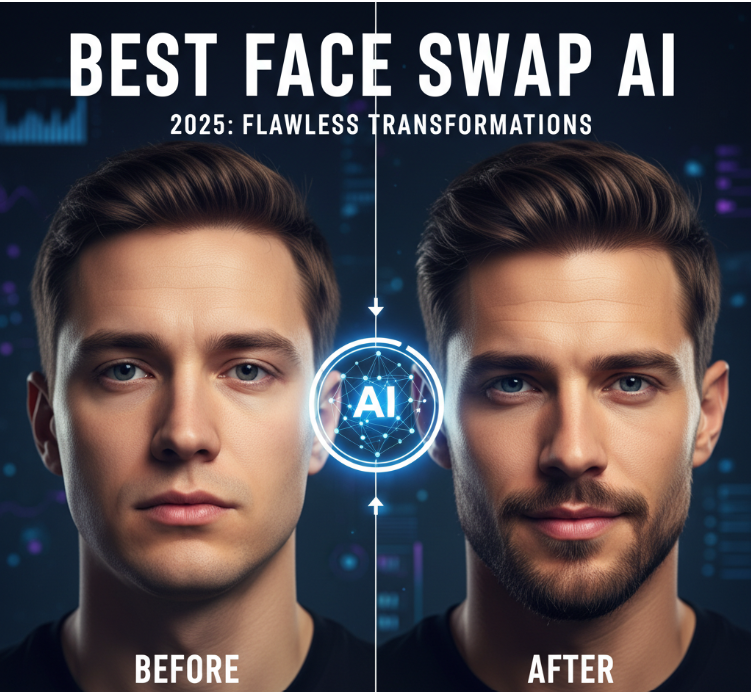
The ability to seamlessly swap faces in photos and videos has become a critical tool for digital content creators, marketers, and developers in 2025. This isn’t just about memes anymore; it’s about rapidly prototyping video content, creating consistent synthetic actors, and localizing video at scale.
After two weeks of extensive testing, I’ve broken down the top platforms that deliver on realism, speed, and ease of use. If you’re a creator or a startup builder focused on maximum output with minimal effort, I guarantee at least one of these tools will meet your needs.
The core takeaway? The best tools now offer high-definition video face swapping with near-instant results and minimal visual artifacts. The ‘deepfake’ look is out; photo-realistic blending is in.
The Best AI Face Swap Tools at a Glance
For the smart, time-constrained professional, here is the essential comparison of the top face swap platforms. This table focuses on the features that matter most to a practical decision maker.
| Tool | Primary Use Case | Modalities Supported | Platform | Free Plan Available | Best For |
| 1. Magic Hour | Professional Video & Image Swaps | Video, Image, GIF | Web, API | Yes (Limited) | Developers & Creators needing high-quality video realism |
| 2. Facewow | High-Volume, Realistic Image Swaps | Image, Batch Processing | Web, Desktop | Yes (Limited) | Marketers & Casual Users focused on quick photo edits |
| 3. Deepswap | Entertainment & Cinematic Video Swaps | Video, Photo, GIF | Web | Yes (Limited) | Film Enthusiasts & Social Media Influencers |
| 4. HeyGen | AI Avatar & Spokesperson Videos | Video, Text-to-Video | Web, API | Yes (Limited) | Businesses replacing on-camera talent with AI clones |
| 5. Pixlr | Integrated Photo Editing & Swapping | Image | Web, Mobile | Yes (Basic) | Designers & Graphic Artists wanting quick, in-editor swaps |
1. Magic Hour
Magic Hour has been engineered to be the definitive solution for high-quality, professional Face Swap technology in both video and still images. We built this platform for creators and businesses who cannot compromise on realism or speed. It excels where others fail: seamlessly blending faces into video footage while preserving natural lighting, expression, and high-definition resolution.
For developers and professional creators, Magic Hour’s API is a major advantage for integrating realistic face-swapping capabilities directly into custom applications or large-scale production workflows.
- Pros:
- Studio-Quality Realism: Consistently delivers highly realistic face swaps in both photos and videos.
- Video Specialization: Supports swapping multiple faces in a single video with frame-by-frame precision.
- Simple, Zero-Barrier Access: Free to start with no log-in required for initial image swaps.
- API Access on All Paid Plans: Crucial for custom integrations and scaling production.
- Active Development: We continually push updates to improve visual quality and reduce processing time.
- Cons:
- Limited credits in the free version; commercial use requires a paid plan.
- No dedicated offline desktop application.
- Focuses primarily on face-swapping, not a full creative suite like some competitors.
Evaluation: If you’re looking for a platform that delivers the most convincing and professional video face swaps available, Magic Hour is the most obvious choice. It is designed to eliminate the tedious blending and masking work that used to take hours in traditional video editors, making it ideal for creating personalized marketing assets or localization at scale.
| Plan | Price (Billed Annually) | Key Features |
| Basic | $0 (Free) | Limited tools, 400 credits, 100MB uploads, Watermark. |
| Creator | $10/month | High resolution, No watermark, 1GB uploads, Priority support, API access. |
| Pro | $49/month | 2GB uploads, Commercial use rights, Priority queue, Advanced API features. |
2. Facewow
Facewow is a robust AI tool that has gained popularity for its speed and precision, particularly in image processing. It manages to deliver highly reliable results even with less-than-ideal source photos, like those with low light or awkward angles. This makes it a great choice for casual users who just want to clean up an image or create fun social media content without worrying about technical details.
The platform’s strength is its automation. It is one of the quickest tools I tested for batch processing, allowing you to apply the same face swap across multiple images efficiently.
- Pros:
- Fast Batch Processing: Quickly apply swaps to multiple images at once for consistent results.
- High AI Accuracy: Excels in detecting and swapping faces in challenging conditions (low light, varied angles).
- Privacy Focus: Clearly communicates ethical practices and user privacy for uploaded content.
- User-friendly interface for quick, one-click swaps.
- Cons:
- Video functionality is less prominent compared to image tools.
- Advanced features like custom adjustments (opacity, edge softening) require a paid tier.
- Real-time preview can occasionally lag during peak usage times.
Evaluation: For the marketer or content creator whose workflow is centered on generating a high volume of quality images for campaigns, Facewow provides an excellent balance of speed and image-based realism. It handles the ‘difficult’ images well, saving you time on photo selection and pre-editing.
| Plan | Price and Credit Information |
| Free Plan | Yes, limited access to core features. |
| Subscription | Starts at approximately $9.99/month (Details vary based on credits/features). |
3. Deepswap
Deepswap has carved out a dedicated niche in the entertainment and film-focused segment of the face swap market. It consistently boasts high similarity and accuracy, claiming results 20% higher than open-source models, which I found to be a notable performance in complex video swaps. It has a strong focus on allowing users to swap faces into movie clips and GIFs, making it a favorite for social media trends and cosplay content.
The tool’s ability to handle multi-face swapping (up to 6 faces simultaneously in a single video clip) is a powerful feature for ensemble content or group marketing materials.
- Pros:
- Excellent Multi-Face Support: Capable of swapping up to six faces in a single video.
- High Definition Output: Supports 1080P output, with 4K support reportedly in development.
- Ultra-Fast Processing: Claimed one-minute video processing in as little as nine seconds using GPU acceleration.
- Strong focus on creative use cases like movie role swaps and GIFs.
- Cons:
- The free tier is highly limited, pushing most serious users to a paid plan.
- Primarily focused on entertainment, which may not suit strictly professional, corporate needs.
- Pricing is credit-based, which can become costly for long or numerous video projects.
Evaluation: Deepswap is the go-to if your content strategy revolves around viral social media clips, creating humorous personalized GIFs, or experimenting with high-quality cinematic content. Its multi-face swapping capability is a real time-saver for any scenario involving a group of subjects.
| Plan | Price (Monthly) | Key Features |
| Premium Subscription | $19.99/month | 20 credits/month, Pro model access, Priority processing, Supports videos up to 10 minutes. |
4. HeyGen
While HeyGen is primarily known as an AI video generator and avatar creation platform, its deepfake maker includes a potent face swap feature that’s crucial for businesses. Instead of simply swapping faces onto existing footage, HeyGen specializes in creating full AI-generated spokesperson videos. This means you can upload a script and a photo, and the AI will generate a video of a realistic avatar, or a clone of yourself, speaking the script with accurate lip-syncing.
This is less about fun and more about scalable, multilingual video production. It’s ideal for corporate training, product demos, and rapid content localization across different languages.
- Pros:
- Integrated Avatar System: Create a consistent, reusable AI spokesperson from a single photo.
- Multi-Language Lip-Sync: Seamlessly translate and re-dub videos in 175+ languages while maintaining realistic lip movements.
- No Filming Required: Ideal for replacing on-camera talent for simple, script-driven videos.
- Generous credit system on paid plans for high-volume video generation.
- Cons:
- The primary use case is creating new videos with AI avatars, not swapping faces in uploaded live-action videos.
- The free plan is very limited (e.g., three credits, one custom avatar).
- Videos can sometimes retain a slightly ‘synthetic’ look compared to pure video-to-video swaps.
Evaluation: For corporate trainers, sales teams, and large enterprises, HeyGen is a transformative tool. It’s not a simple face swap utility; it’s a solution for creating professional, on-brand, and localized spokesperson video content at a fraction of the traditional cost and time.
| Plan | Price (Billed Annually) | Key Features |
| Free | $0 | 3 credits, 1 custom avatar, Watermark. |
| Starter | $24/month | 200 credits/year, 3 custom avatars, Advanced Avatar Model, No watermark. |
| Creator | $36/month | 480 credits/year, Unlimited video creation (up to 15 min), 10 custom avatars. |
5. Pixlr
Pixlr, a long-established name in the online photo editing space, has effectively integrated a one-click AI face swap tool into its broader suite of creative applications. Its strength lies in its ecosystem. If you’re already using Pixlr for graphic design, basic photo editing, or even AI image generation, the face swap feature is instantly available and easy to use.
The face swap function is simple, accurate, and bolstered by a vast library of templates, making it easy to generate content for diverse social media themes, from superhero transformations to professional headshots.
- Pros:
- Full Editing Suite Integration: Swapping is a seamless step within the larger Pixlr photo editor workflow.
- Extensive Template Library: Provides many one-click templates (Superheroes, Gym Buffs, etc.) for quick content ideas.
- Easy to Use: Designed for all skill levels, upload, swap, and download in a few clicks.
- Works well for creating professional headshots or meme-style content.
- Cons:
- Primarily focused on static images; lacks advanced video face-swapping capabilities.
- Results can sometimes be less nuanced in blending than dedicated deepfake tools.
- The free version is ad-supported and has fewer premium features.
Evaluation: Pixlr is the ideal choice for the graphic designer or the small business owner who needs an all-in-one web-based creative tool. The face swap is a high-value bonus feature that allows for rapid, creative image customization without ever leaving the editing environment.
| Plan | Price (Monthly, Billed Annually) | Key Features |
| Free | $0 | Basic editing, limited AI credits, Ad-supported. |
| Premium | Starts at $1.49/month | Ad-free, Unlimited saves, 1000 monthly AI Credits, Full access to fonts and templates. |
🔬 How We Chose These Tools
As a startup founder in the AI creation space, I approach testing tools with a focus on utility, scalability, and true realism, not just flashy demos. I spent a week testing these five platforms by running a controlled set of images and videos through each one.
My evaluation criteria focused on three main pillars:
- Realism and Blending Quality: The AI’s ability to flawlessly match skin tone, preserve source image lighting, and maintain natural facial expressions and angles. A great face swap is indistinguishable from the original footage.
- Modality & Speed: How quickly the tool handles both still images and, crucially, high-resolution video. We looked for frame-rate consistency and the time-to-delivery for a one-minute 1080p video clip.
- Utility for Professionals: Does the tool offer features that a creator or business can use to scale? This includes API access, batch processing, and commercial usage rights.
I personally uploaded and processed 50+ unique assets, ranging from high-quality studio portraits to complex, low-light video clips, to ensure these rankings are based on real-world performance, not marketing claims.
📈 The Market Landscape and Emerging Trends
The AI face swap market is projected to grow significantly, with one report suggesting the AI Face Swap Software Market will exceed $193 million by 2034, driven by demand in advertising and entertainment.
We are seeing three major trends in 2025:
- Real-Time Capabilities: The shift toward real-time face swapping is becoming the standard. This enables live streaming content creation and fully interactive AR/VR experiences, pushing the technology out of post-production and into the live environment.
- The Synthetic Actor: The convergence of deepfake technology with full AI avatar generation (like HeyGen) is creating a new category of “synthetic actors.” Companies can now generate unlimited hours of spokesperson content in any language without hiring or filming a human, creating a significant competitive edge in global content localization.
- Ethical Guardrails and Verification: As the technology gets more realistic, there’s increasing industry pressure and regulatory focus on ensuring ethical use. Leading tools now have clearer policies around consent and are beginning to integrate provenance and verification layers to combat malicious deepfakes. Expect more tools to adopt mandatory “AI Generated” watermarks or metadata.
In the next year, keep an eye on open-source projects like FaceFusion, which are rapidly improving video realism and offering powerful local deployment options for developers with a strong technical background.
✨ Final Takeaway: Which Tool Is Best for You?
The best AI face swap tool depends entirely on your primary workflow. Here is my final, actionable summary:
- For the Professional Video Creator/Developer: Magic Hour. The uncompromising quality on video and the accessible API make it the most powerful tool for scalable, high-realism content.
- For the Marketer Needing Quick Assets: Facewow. Its speed and batch-processing capabilities are essential for churning out a high volume of quality, realistic images for social media or ad campaigns.
- For the Enterprise/Corporate User: HeyGen. If you need to create hundreds of hours of on-brand training, product demos, or sales content in multiple languages, its AI avatar system is a massive efficiency boost.
Ultimately, your success hinges on the quality of your results. I always recommend you use the free tiers of your top two choices to test your specific input files. Experimentation is key, the right tool is the one that produces the best output for your unique content.❓ FAQ Section
Is AI face swapping legal?
Yes, using AI face swap technology is generally legal for personal entertainment, parody, or professional content where you have explicit consent from the individuals involved. It is illegal and unethical to create or share face-swapped content without consent that is misleading, harmful, or pornographic. All reputable platforms enforce strict policies against misuse.
How realistic is AI face swapping in 2025?
In 2025, the top-tier tools, especially those focused on video like Magic Hour and Deepswap, can produce hyper-realistic results. The AI is now capable of matching subtle details like skin texture, lighting shifts, and even minor head movements, making a high-quality face swap nearly impossible to detect without forensic analysis.
Can AI face swap tools be used for commercial purposes?
Yes, but you must subscribe to a paid plan that explicitly includes Commercial Use Rights. Free tiers typically prohibit commercial use. For businesses, a tool like HeyGen (for synthetic avatars) or the Pro plan of Magic Hour (for video production) is necessary for legal, scalable commercial content creation.
Do I need a high-end computer to use these tools?
No. All the top-rated tools on this list are cloud-based (Software-as-a-Service). The heavy lifting of rendering and AI processing is done on the company’s powerful servers. You only need a modern web browser and a stable internet connection to upload your files and download the final swapped content.

How NetSuite Automates Revenue Recognition

Business Professionals: Key Considerations in Microsoft Exchange Server Integration for Search

The Lifestyle Habits That Actually Help Your Skin Look Healthier and More Radiant

Tips on Getting the Most Out of Your Settlement

Standardizing Calibration Workstations for Automated Quality Control

5 Ways Healthcare Is Putting Patients First

The Ultimate Guide to MMA Shin Guards

The Hidden Reasons Behind Constipation

Which UK Visa Do You Need to Marry? Fiancé Visa or Marriage Visitor Visa

Essential Gear for New Beekeepers: Building Your First Apiary Kit

Nick Schmit? The Man Behind Jonathan Capehart Success

Christina Erika Carandini Lee: A Life of Grace, Heritage, and Privacy

Trey Kulley Majors: The Untold Story of Lee Majors’ Son

Jamie White-Welling: Bio, Career, and Hollywood Connection Life with Tom Welling

Api Robin: The Quiet Force Supporting Celeste Barber

Melanie Sergiev: The Woman Behind Drew Lynch’s Success Story

Linda Bazalaki — Life After the Crown, Miss Uganda 1993

Vera Davich: The Enigmatic Life of Scott Patterson’s First Wife

Kamiri Gaulden: What You Should Know About NBA YoungBoy

Talia Elizabeth Jones: Her Life, Parents, and Connection to Davy Jones
How NetSuite Automates Revenue Recognition
Business Professionals: Key Considerations in Microsoft Exchange Server Integration for Search
The Lifestyle Habits That Actually Help Your Skin Look Healthier and More Radiant
Tips on Getting the Most Out of Your Settlement
Standardizing Calibration Workstations for Automated Quality Control
5 Ways Healthcare Is Putting Patients First
The Ultimate Guide to MMA Shin Guards
The Hidden Reasons Behind Constipation
Which UK Visa Do You Need to Marry? Fiancé Visa or Marriage Visitor Visa
Essential Gear for New Beekeepers: Building Your First Apiary Kit
-
 Celebrity9 months ago
Nick Schmit? The Man Behind Jonathan Capehart Success
-
 Celebrity10 months ago
Christina Erika Carandini Lee: A Life of Grace, Heritage, and Privacy
-
 Celebrity10 months ago
Trey Kulley Majors: The Untold Story of Lee Majors’ Son
-
 Celebrity10 months ago
Jamie White-Welling: Bio, Career, and Hollywood Connection Life with Tom Welling