
Business
Pxless – The Future of Lightweight Web Design Tools

Have you ever opened a beautifully designed website on your phone, only to find that it looks completely broken—tiny text, misaligned buttons, or images spilling off the screen? This is a common issue caused by pixel-dependent design. In a world where websites are accessed from thousands of screen sizes—phones, tablets, desktops, smart TVs, and even foldables—using fixed pixel sizes is outdated and problematic. That’s where pxless comes in.
Pxless isn’t just a design trend; it’s a foundational shift in web design philosophy. Rather than relying on rigid pixel values, pxless focuses on fluid, responsive, and adaptive design systems that work across all devices. In this article, we’ll explore the full scope of pxless—what it is, why it matters, how to implement it, and why it’s poised to shape the future of digital design.
What Is Pxless?
The term “pxless” combines “px” (pixels) and “less,” signaling a move away from pixel-based measurements in web design. Traditionally, developers have used fixed pixel values like 300px for a container or 14px for font size. While this method worked in the early days of the web, today it creates challenges on modern devices with vastly different resolutions.
Pxless design replaces these rigid units with relative units like %, em, rem, vw (viewport width), and vh (viewport height). This allows layouts to scale fluidly, adapting to whatever screen size the user has. It’s not about eliminating pixels entirely but about liberating design from fixed sizes—creating flexible, responsive, and future-ready layouts.
The Pxless Mindset: Beyond Just Units
Adopting pxless isn’t just about switching from px to rem. It represents a deeper mindset shift in how we think about layout, typography, spacing, and responsiveness. Instead of designing components based on hard measurements, pxless encourages designers to think in proportions and relationships.
This means designing components that scale naturally. A heading adjusts based on screen size. A card layout reflows smoothly from desktop to mobile. Pxless design is fluid, content-aware, and resilient—key qualities in today’s multi-device world.
Why Pxless Is Crucial in 2025 and Beyond
Responsive design is no longer optional—it’s expected. Users move between devices frequently, and sites need to deliver seamless experiences across them all. Yet many so-called “responsive” sites still use fixed pixel widths, causing visual and functional issues.
Pxless ensures that web elements scale naturally, improving not only layout flexibility but also user experience, accessibility, and performance. It allows your content to be readable, clickable, and usable—on every screen, at any zoom level, without custom media queries for every breakpoint.
The Accessibility Advantage of Pxless

One of the most overlooked but powerful benefits of pxless design is its impact on accessibility. Many users need to zoom in on websites due to vision impairments. Fixed pixel units often break layouts when zoomed in—cutting off content or overlapping elements.
By contrast, pxless design—using rem, %, or clamp()—scales proportionally, making it easy for assistive technologies and user preferences to render content cleanly. Fonts remain legible, buttons stay accessible, and layouts maintain usability.
Inclusive design is smart design, and pxless enables it by default.
Pxless and SEO: Why Google Cares
Did you know that your layout choices can affect your Google rankings? With mobile-first indexing, Google evaluates your site based on its mobile version first. If your site looks broken or loads poorly due to fixed pixel values, you’re likely to rank lower.
Pxless designs improve critical SEO metrics like:
-
Core Web Vitals (especially Layout Shift and Responsiveness)
-
Mobile usability
-
Engagement duration (users stay longer on usable sites)
A pxless approach improves the technical and experiential quality of your site—giving you a boost in both user trust and search engine visibility.
Key Units That Replace Pixels in Pxless
To go pxless, you need to understand the core CSS units that make it possible:
-
%(percent): Scales elements based on the size of the parent container. -
em/rem: Scales based on font size—remfrom root,emfrom parent. -
vw/vh: Viewport-relative units.10vwmeans 10% of the screen width. -
clamp(min, ideal, max): Dynamically scales elements within limits.
These units form the foundation of scalable, adaptive interfaces. When combined correctly, they offer a level of control that pixel units simply can’t match.
Layout Systems That Enable Pxless: Flexbox & Grid

Modern CSS tools like Flexbox and CSS Grid pair perfectly with design. They let developers create layouts where content flows and resizes intelligently, without fixed dimensions.
-
Flexbox: Ideal for flexible rows, menus, buttons, and responsive components.
-
Grid: Perfect for full-page layouts, galleries, and complex component alignment.
Using fractional units (fr) in Grid or auto-sizing in Flexbox, you can build dynamic layouts without a single px. Combined with relative units, these systems make not only possible but incredibly efficient.
Practical Steps to Go Pxless
Wondering how to begin? Here’s a practical roadmap:
-
Set a scalable base font (e.g.,
html { font-size: 62.5%; }so1rem = 10px) -
Use
remandemfor font sizes and spacing instead ofpx -
Make images responsive:
max-width: 100%; height: auto; -
Use
clamp()for adaptive typography:
Example:font-size: clamp(1rem, 2vw, 2rem); -
Avoid absolute positioning—prefer layout tools like Flexbox and Grid
These changes will immediately improve scalability and user experience.
Real-World Use Cases for Pxless
-
E-commerce sites: Product cards scale to any screen, improving conversions.
-
Blogs and media platforms: Text stays readable, even on small devices.
-
Portfolio sites: Designers can ensure visuals look polished at any resolution.
-
Corporate websites: Branding remains consistent without needing multiple site versions.
Anywhere that content needs to be clear, fast, and scalable, delivers.
Benefits for Designers and Developers
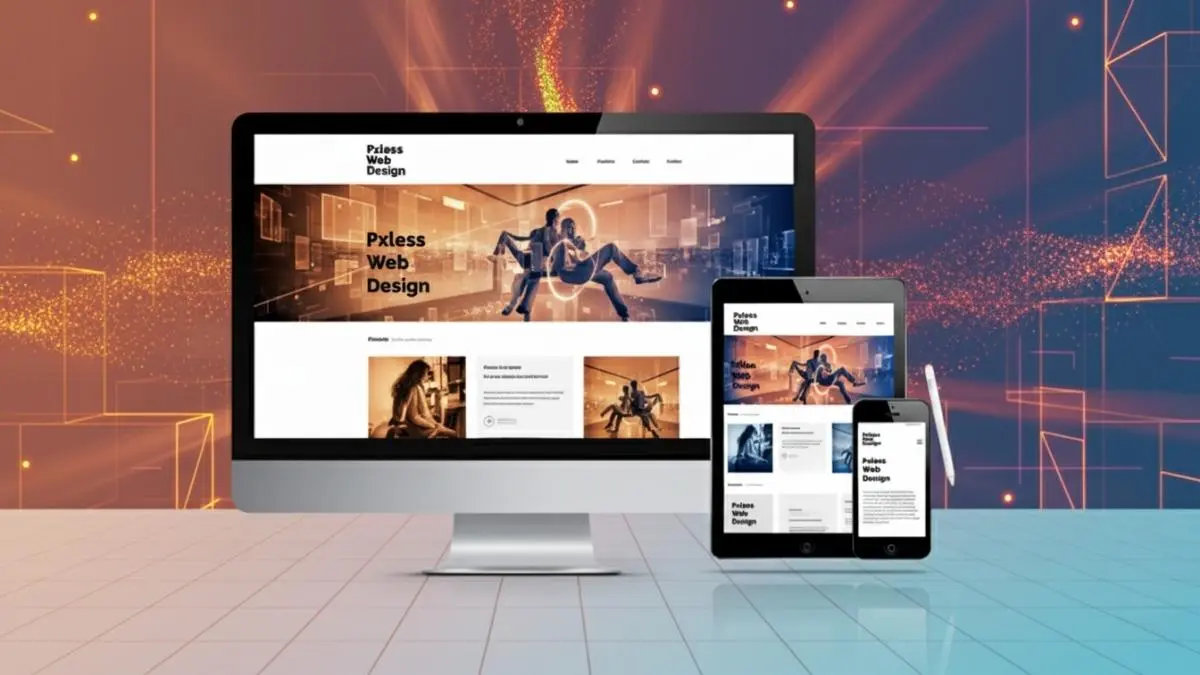
Designers appreciate pxless for its fluid typography, scalable spacing, and less need for endless media queries. Developers benefit from cleaner code, fewer breakpoints, and faster performance.
Other benefits include:
-
Better performance (less layout recalculation)
-
Easier maintenance
-
Greater device compatibility
-
Accessibility compliance out of the box
It’s not about giving up control—it’s about gaining smart control.
Common Challenges and How to Solve Them
Some teams worry pxless means giving up design precision. In reality, tools like clamp() and min()/max() give you more nuanced control.
Others cite browser compatibility, but modern browsers widely support these units. For edge cases, you can use fallbacks or polyfills. It’s also important for designers and developers to collaborate closely—using shared design systems, tokens, and guidelines.
Proactive testing (with tools like Chrome DevTools or BrowserStack) ensures designs work across environments.
Pxless for the Future: Foldables, AR, and Beyond
As new device categories emerge—foldable phones, AR/VR headsets, wearable screens—traditional pixel-based design won’t cut it. , by design, is device-agnostic.
Its responsive nature makes it compatible with variable aspect ratios, dynamic viewports, and interaction layers. As digital interfaces expand into new realities, ensures your content is always ready to adapt.
Final Thoughts
The era of designing for a “standard screen size” is over. Pxless is the new standard—a smarter, more resilient approach to web design that prioritizes usability, performance, and future-readiness.
By replacing pixel rigidity with fluid logic, creates experiences that are more accessible, more responsive, and more enjoyable—for everyone, everywhere.
Whether you’re a freelancer, startup, or enterprise, is the future-proof design solution that will carry your brand forward.

5 Ways Healthcare Is Putting Patients First

The Ultimate Guide to MMA Shin Guards

The Hidden Reasons Behind Constipation

Which UK Visa Do You Need to Marry? Fiancé Visa or Marriage Visitor Visa

Essential Gear for New Beekeepers: Building Your First Apiary Kit

A First-Timer’s Guide to Exploring the Na Pali Coast by Boat

What Is Child Custody? A Legal Guide for Parents

Best Affordable Projector Buying Guide for Smart Home Entertainment in 2026

Bus to JB: Cheapest Ticket, Daily Schedule & Tips

The Legal Importance of Correct NADRA Records for Dual Nationals

Nick Schmit? The Man Behind Jonathan Capehart Success

Christina Erika Carandini Lee: A Life of Grace, Heritage, and Privacy

Trey Kulley Majors: The Untold Story of Lee Majors’ Son

Jamie White-Welling: Bio, Career, and Hollywood Connection Life with Tom Welling

Api Robin: The Quiet Force Supporting Celeste Barber

Linda Bazalaki — Life After the Crown, Miss Uganda 1993

Melanie Sergiev: The Woman Behind Drew Lynch’s Success Story

Vera Davich: The Enigmatic Life of Scott Patterson’s First Wife

Kamiri Gaulden: What You Should Know About NBA YoungBoy

Talia Elizabeth Jones: Her Life, Parents, and Connection to Davy Jones
5 Ways Healthcare Is Putting Patients First
The Ultimate Guide to MMA Shin Guards
The Hidden Reasons Behind Constipation
Which UK Visa Do You Need to Marry? Fiancé Visa or Marriage Visitor Visa
Essential Gear for New Beekeepers: Building Your First Apiary Kit
A First-Timer’s Guide to Exploring the Na Pali Coast by Boat
What Is Child Custody? A Legal Guide for Parents
Best Affordable Projector Buying Guide for Smart Home Entertainment in 2026
Bus to JB: Cheapest Ticket, Daily Schedule & Tips
The Legal Importance of Correct NADRA Records for Dual Nationals
-
 Celebrity8 months ago
Nick Schmit? The Man Behind Jonathan Capehart Success
-
 Celebrity9 months ago
Christina Erika Carandini Lee: A Life of Grace, Heritage, and Privacy
-
 Celebrity9 months ago
Trey Kulley Majors: The Untold Story of Lee Majors’ Son
-
 Celebrity9 months ago
Jamie White-Welling: Bio, Career, and Hollywood Connection Life with Tom Welling